


RetroDeskStudio
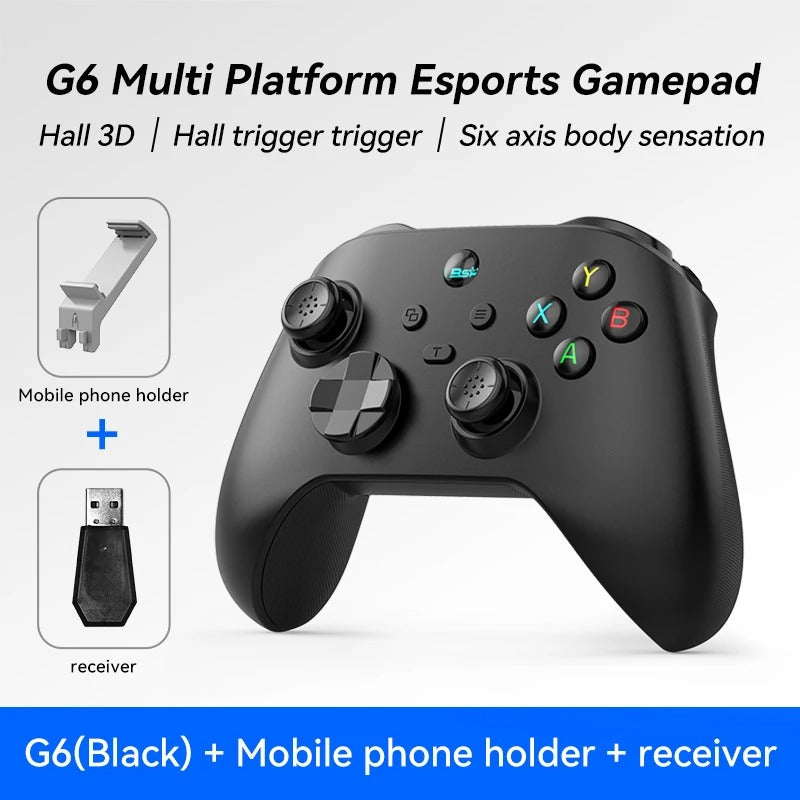
G6 Wireless Gamepad with Hall Effect Triggers | Switch, PC, Android, iOS
G6 Wireless Gamepad with Hall Effect Triggers | Switch, PC, Android, iOS
🚚 Ships in 1–3 business days · Estimated delivery: 7–20 business days after processing · Tracking provided when available
Verfügbarkeit für Abholungen konnte nicht geladen werden
The G6 is a wireless gamepad with Hall effect triggers and joysticks, designed to work across multiple platforms including Nintendo Switch, PC, Android, and iOS. Hall effect sensors use magnetic fields instead of physical contact, which means the triggers and sticks are less prone to drift over time compared to standard membrane-based controllers.
It connects via 2.4G wireless (using the included USB receiver), Bluetooth, or MFi mode for iOS devices. The battery is included and charges via USB-C.
What's Included
- 1x G6 Wireless Gamepad
- 1x USB 2.4G Receiver (included with G6-2.4G variants only — see note below)
- 1x USB-C Charging Cable
- Battery included
Specifications
- Model: G6
- Connection modes: 2.4G wireless, Bluetooth, MFi (iOS)
- Hall effect: Yes — triggers and joysticks
- Trigger type: Hall-Linear
- Button type: Membrane (ABXY, D-pad, bumpers)
- Charging: USB-C
- Battery: Included
- Compatible platforms: Nintendo Switch, PC, Android, iOS
- Interface: Type-C
- Certification: CE, FCC
- Not compatible with: Xbox consoles
Connection Modes
2.4G Mode (PC & Android)
Plug the USB receiver into your device. Slide the switch on the back of the controller to the 2.4G position. Press and hold the HOME button for 3 seconds until the indicator light (cyan) flashes rapidly, then stays solid once connected.
Bluetooth Mode (PC, Android, Switch)
Slide the switch to the M, X, or S position depending on your device. Press and hold HOME for 3 seconds to enter pairing mode. Find the controller in your device’s Bluetooth settings and connect. The indicator light stays on when paired.
MFi Mode (iOS)
Slide the switch to MFi mode. Press and hold HOME for 3 seconds until the purple light flashes. Find “DUALSHOCK 4 Wireless Controller” in your iPhone or iPad’s Bluetooth settings and connect. The purple light stays solid when paired.
Important — 2.4G Receiver Note: The USB 2.4G receiver is only included with the G6-2.4G variant (shown with a receiver in the product image). The standard G6 variant connects via Bluetooth only and does not include a receiver. Please check the variant you are ordering before purchasing.
This controller is not compatible with Xbox consoles. This is a third-party product and is not affiliated with Nintendo, Sony, Apple, or Microsoft.
FAQ
What is Hall effect and why does it matter?
Hall effect sensors use a magnetic field to detect position rather than physical contact between components. In controllers, this means the triggers and joysticks are less likely to develop drift or wear out over time compared to standard potentiometer-based designs. It does not eliminate all failure modes, but it is generally considered more durable for heavy use.
Does this controller work on Nintendo Switch?
Yes. The G6 is compatible with Nintendo Switch via Bluetooth. Use the S position on the back switch and follow the Bluetooth pairing steps above.
Does the 2.4G receiver come included?
Only with the G6-2.4G variant. If your computer has Bluetooth, you can use the standard G6 variant and connect wirelessly without a receiver. If your computer does not have Bluetooth, choose the G6-2.4G variant which includes the USB receiver.
Is this compatible with iOS?
Yes, via MFi mode. Follow the MFi pairing steps above. The controller appears as “DUALSHOCK 4 Wireless Controller” in your Bluetooth settings on iPhone and iPad.
Looking for more retro gaming and desk gadgets? Browse our Retro Finds collection.
Teilen


It's good works good
Literally a god controller bro, you can connect to every modern console with it and it has gyro.
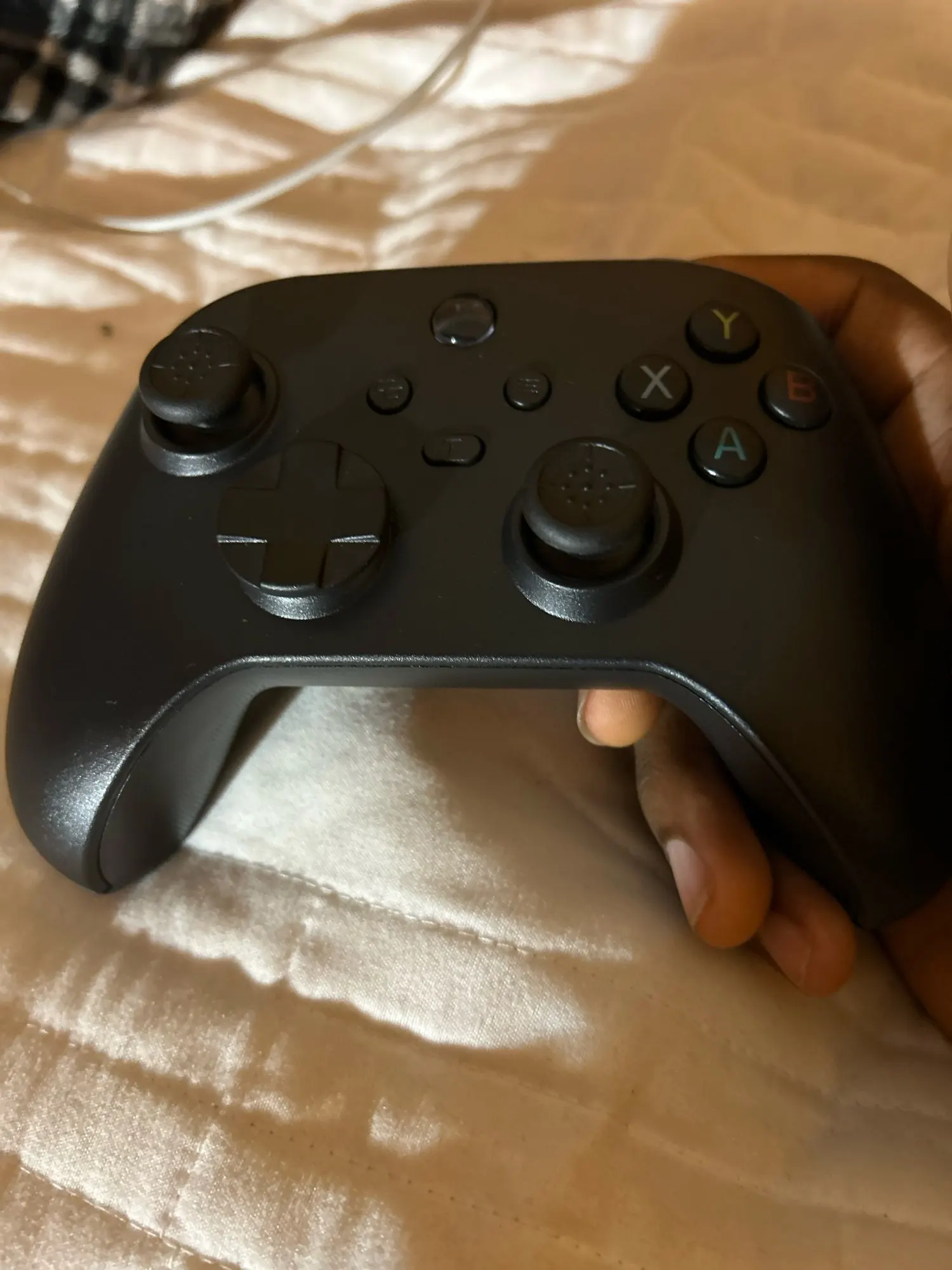
Perfect, it works, no complaints.
I have been a gamer for a long time into first person shooters, and for the price of this controller i am honestly surprised by it so far. received it today and have played some games on my android using it and it was smooth with no lag, all functionality was as good as described. will try it out on a pc here soon.
Even though it took 3 days longer than stipulated, it was not your fault; in my town it is a sacred week and most companies do not work. The material is good and plays very well; I am very happy with my purchase, 10/10 I recommend it.